WeSupport
Revamping Help Center: Ensuring Seamless Support & User Experience.
App
Mobile Web
Desktop Web
Timeline
Nov. 2023 - Mar. 2024
My Role
UI/UX Design, Requirement Clarification, Wireframing
Tools
Figma
Team
UI/UX Designer, UX Researcher, BA Manager, FE/BE Developer

The Problem
Users were going to customer service for every issue, even though many answers were already in the FAQ. It seemed like users weren’t using the FAQ effectively, which caused more support requests and lower satisfaction.
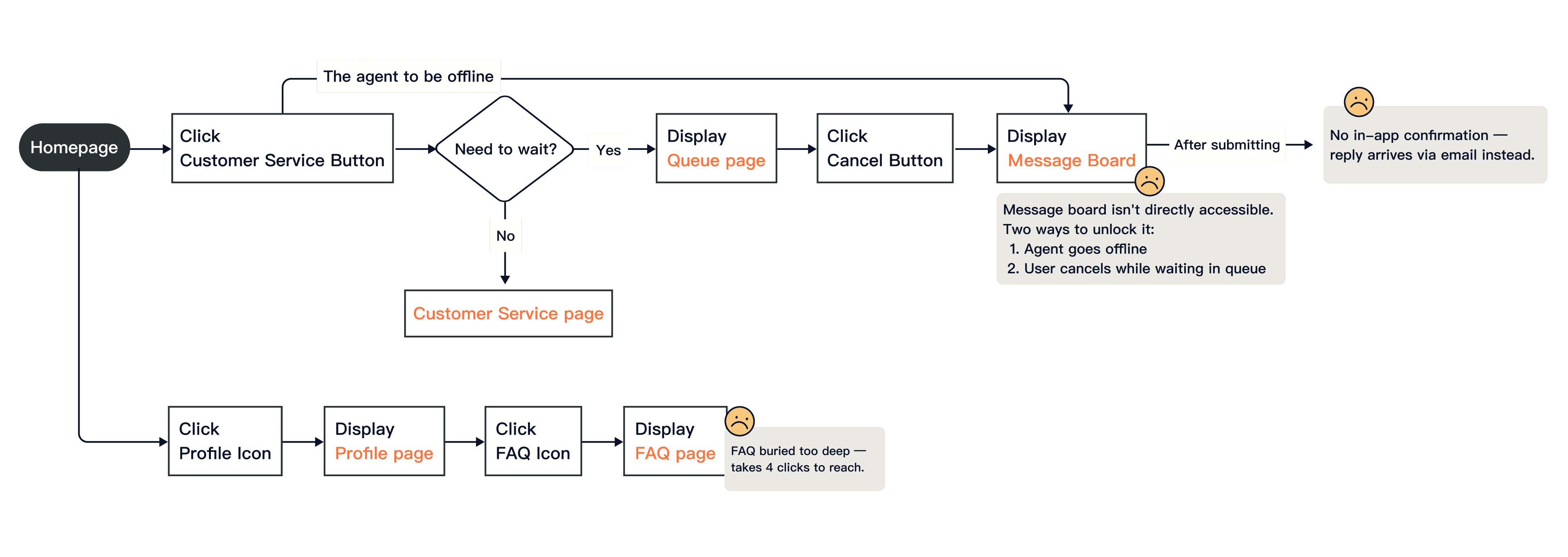
Pain points
Customer Service Burden from Hard-to-Find FAQ
Users contact customer service for every issue because the FAQ is hard to find.
Limited Options for Message Submission
Forms can only be submitted when :
1.The customer service staff is offline
2.While waiting for customer service staff, I click the "Leave" button
Web-to-Case Email Replies
After submitting the form, users receive an email reply from the web-to-case system, but they often don't check their inbox, leaving issues unresolved.
Product Strategy
Goal
1. Increase user satisfaction and reduce customer churn
2. Improve customer service efficiency to save operational costs.
Core Functions
Enhance FAQ visibility and incorporate elements that guide users to self-serve solutions.
Design Approach : How did the designer start?
Gathering Requirements
As the designer in charge, I start by gathering user requirements with the BA Manager and stakeholders. Understanding both company and user objectives allows me to create the wireframe and design scope.
Creating Wireframes & User Flow
To ensure clear communication with the business analyst, project executive, and developers, I create a mockup flow that details page connections and section functionalities.
These include:
Article search
Customer service contact
Issue search
Comment and feedback submission
Comment history view

Design Goal
Improving Self-Service Efficiency
Enhance FAQ visibility and usability to reduce reliance on customer service.
Allow users to quickly and easily leave questions.
Enable users to access feedback and their question history easily.
Design solution-1
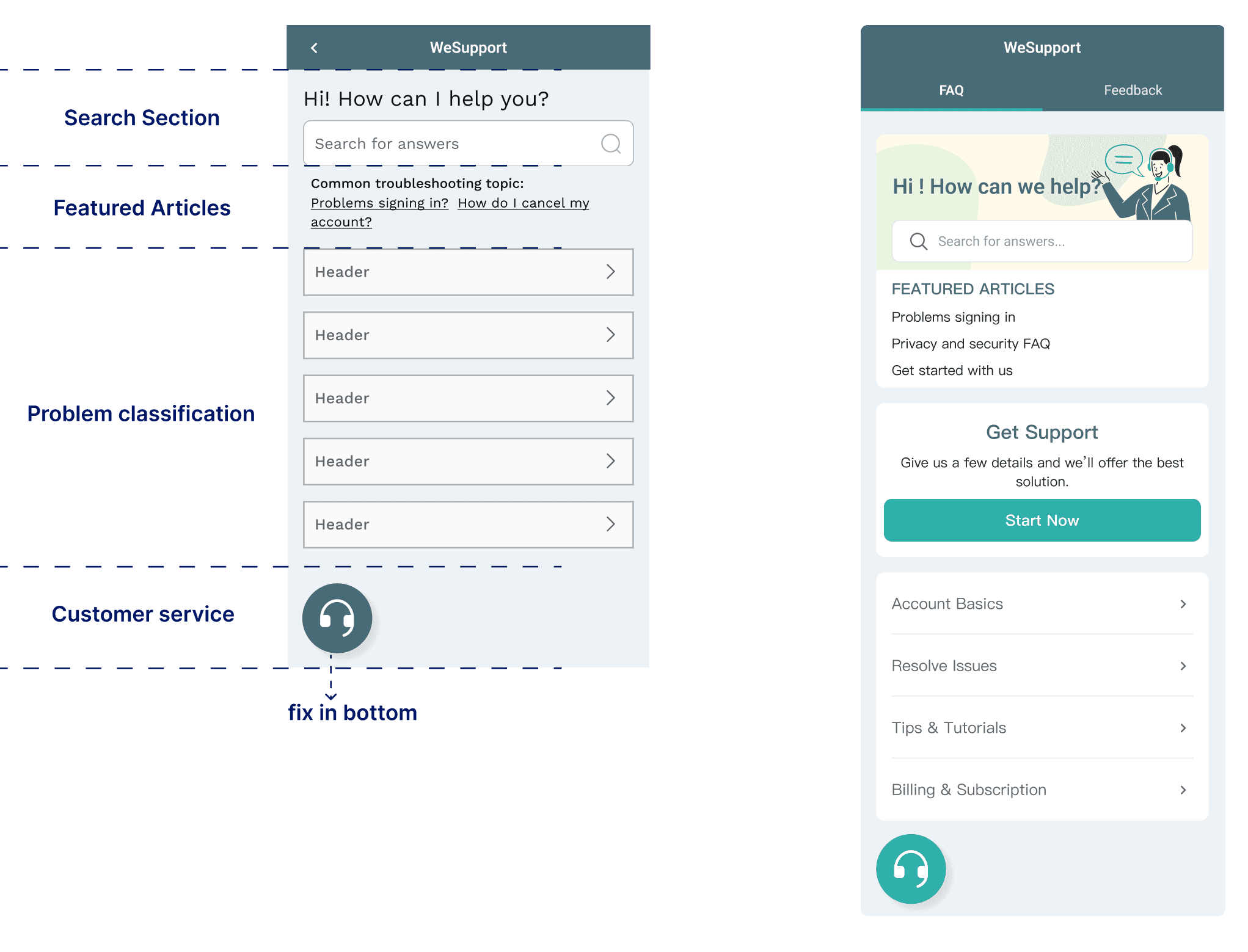
Smooth Support: Combining FAQ with Live Customer Service
We also made the WeSupport entry easy to find on the homepage, giving users quick access to solutions and live help.

Design solution-2
Search function
Add a search function and recommend most viewed articles to help users find their own answers quickly.

Design solution-3
Leave a Question“ Button
Implement a 'Leave a Message' button on the help center homepage, enabling users to quickly leave messages for complex inquiries.

Design solution-4
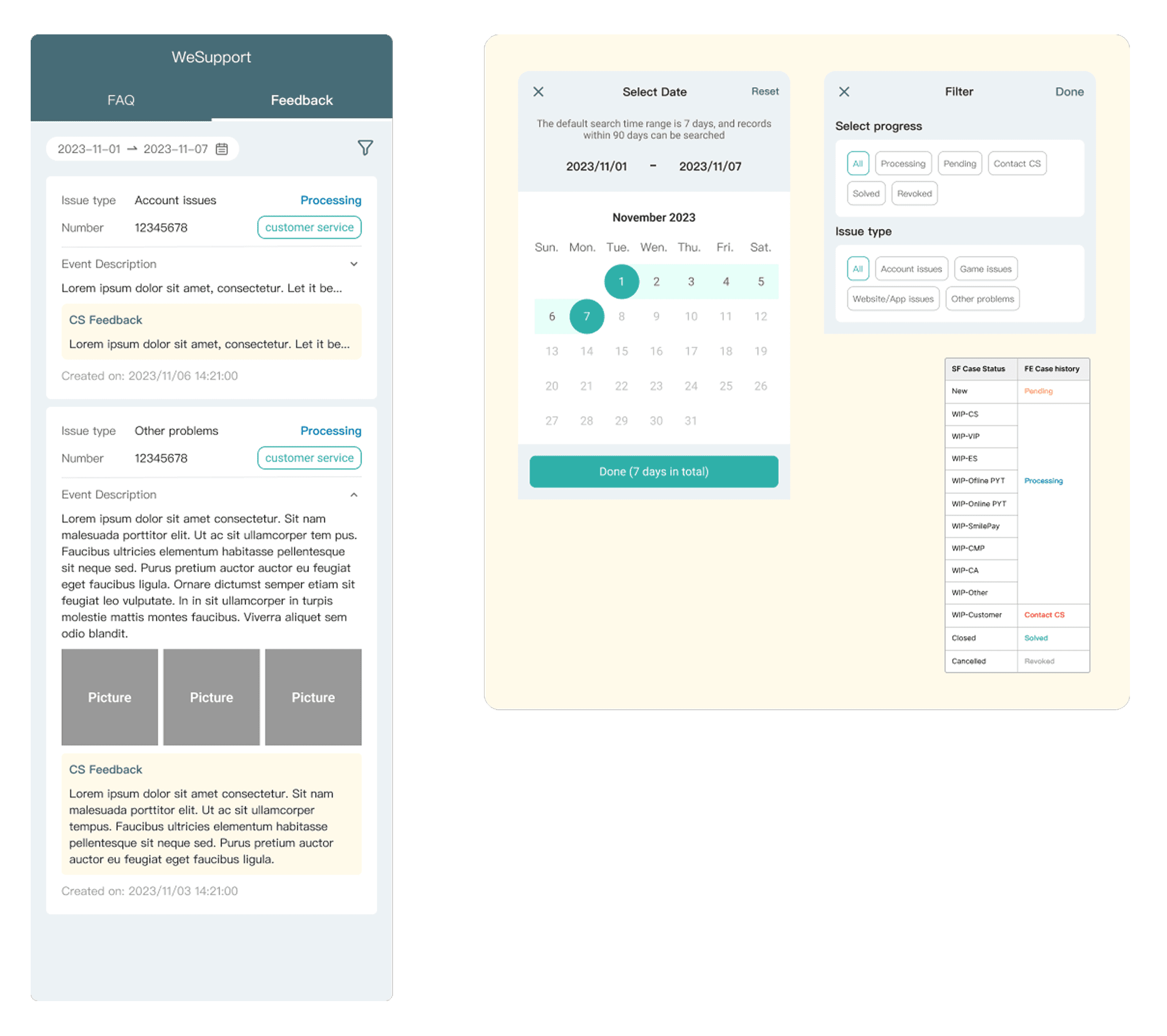
Feedback and History Tracking
Include feedback and history sections, allowing users to refer to previously asked questions to solve their issues more effectively.
Design Result
This product is cross-platform (App, Mobile web, Web)
It aims to offer an easy-to-use experience for all users, no matter their device or language.

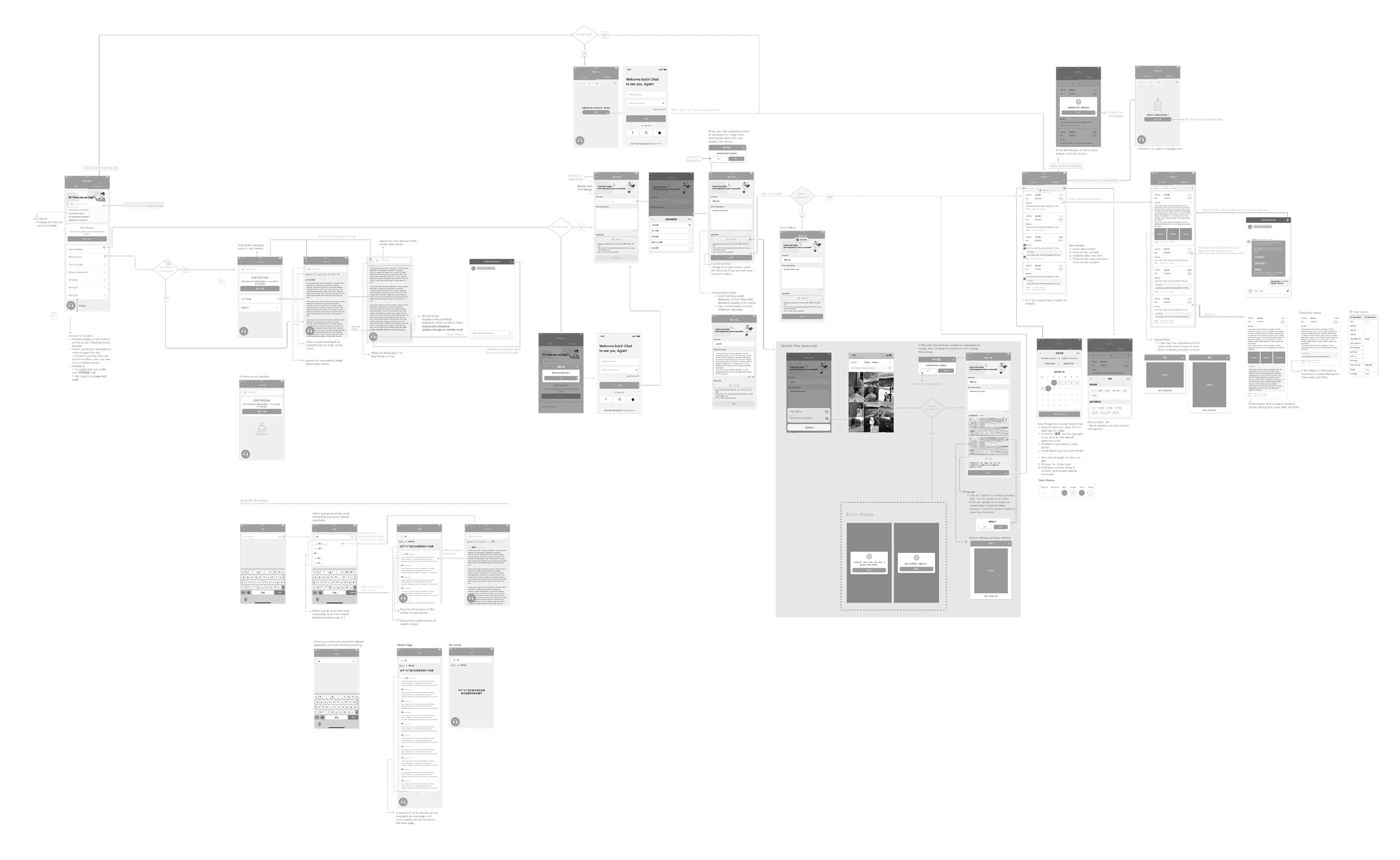
Main Flow of Desktop App, mobile web
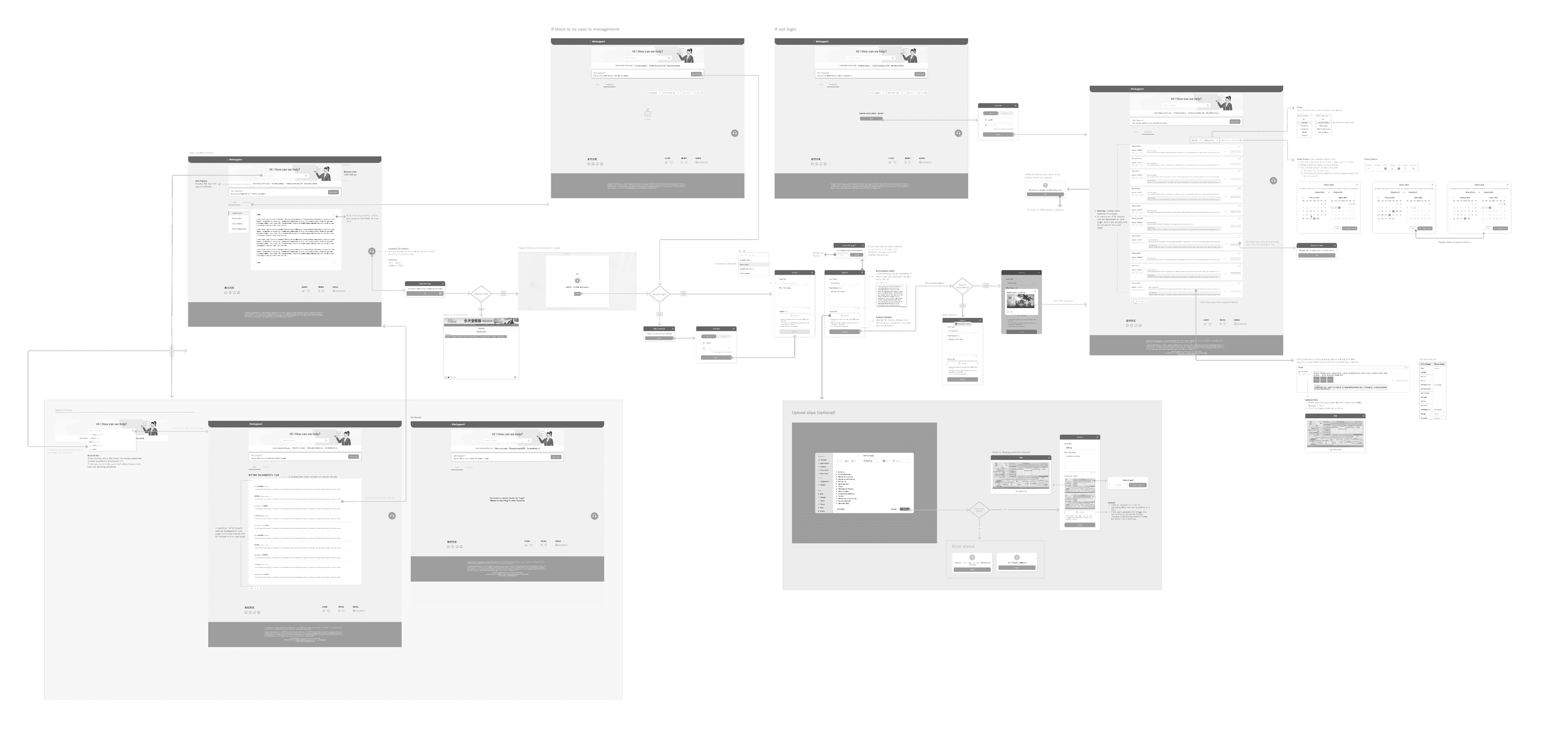
Main Flow of Desktop
Feedback
We've gathered key insights from our partners and stakeholders.
“The new design offers a much-improved look and feel. It includes essential functionalities such as search, case submission, live chat, and enables customer service to manage content within Salesforce instead of hardcoding.” - BA Manager
“The revamped help center enhances user experience with case update notifications and a more efficient search engine, enabling users to find information faster.” - CS Manager
We also collected user data through surveys and Piwik tracking, resulting in a 12% increase in user satisfaction and a 35% increase in FAQ usage.

